skip to main |
skip to sidebar
The structure of iPhone applications code is based on the Model-View-Controller (MVC) architecture. It benefits the iPhone applications development or the object-oriented programs as a whole in many ways. MVC–based programs can be adaptable to changing requirements and their objects more reusable. The main goal of the MVC architecture in iPhone applications development is to separate business logic, such as your application’s data and the rules that govern your application, from the user interface (presentation layer).The MVC architecture considers there to be three types of objects:1. Model objects 2. View objects 3. Controller objectsA goal of a MVC based application also should be to reuse as many objects as possible. View objects and model objects should be highly reusable and application-specific behavior should be implemented in controller objects.Design Guidelines:• Dependency should be minimal in case of all the MVC architecture implementations• MVC roles can be merged in an object although making that object acts as both the controller and view object. Then it would be called a view controller. In the same way, you can also combine model-controller objects. Following MVC architecture makes code more reusable, understandable and extendable• It is good design that a view object use controller object as mediator to know about changes in an model objectIf in case you have any requirements pertaining to iPhone or iPad applications development, write us at lead@spec-india.com, and our Business Development Executive will get back to you within 24-48 hours. You can have a look at our iPhone website at www.iphonequalityapplications.com.Happy iPhone programming!
SQLite is a popular and a widely used programming language used in internet programming and specially, mobile device programming. It is more popularly used as a database programming language for iOS development projects. It is self-contained and ‘serverless’ platform, thus requires no configuration.Here are some useful things to be considered for all the iPhone developers, dealing with SQLite programming:> The SQLite extensions such as Full Text Search should not appear to be compiled into the iPhone SQLite libraries.> Due to some things like memory usage of the iPhones, the speed of the SQLite on the actual iPhone is much slower for some things, than on the simulator. > Think practical, and plan well for the future – and design the database accordingly. This will indeed save you the trouble of having to write all the necessary SQL commands for versioning your database later.> Always take a copy (backup) of the database and store it in a location that one can write to.At SPEC INDIA, we have a trained team of 175+ professionals and iPhone/iPad apps development has always been our core strength, since its evolution. You can send us any query or requirement at our email id lead@spec-india.com and our Business Development Executive will definitely get back to you with 100% satisfactory response.Happy iPhone programming!
VoIP, stands for Voice over Internet Protocol, is a kind of application that allows the Users to make phone calls using an internet connection instead of the device’s cellular service. A constant network connection is a must to support the smooth usage of the VoIP application in iOS programming. The network services are basically associated with the receiving incoming calls and the other relevant data.The iOS programming system allows these applications to be suspended at times and provides facilities for monitoring their sockets for them. When it comes to the incoming traffic, the system wakes up the VoIP application, and returns the control of its sockets to it.The main communication socket needs to be aligned properly for the VoIP usage; for the iPhone/iPad application to maintain a persistent connection while it is in the background. At SPEC INDIA, we have a trained team of 175+ professionals and mobile apps development has always been our core strength, since its evolution. You can send us any query or requirement at our email id lead@spec-india.com and our Business Development Executive will definitely get back to you with 100% satisfactory response.Happy iPhone programming!
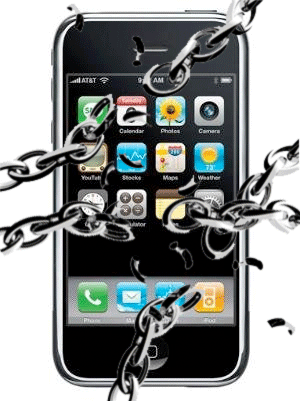
In technical essence, jailbreaking of an iPhone means making the mobile device free from the limitations imposed on it by the carrier – AT&T or Verizon and Apple. The User installs a software application on the computer, and then transfers the same to the iPhone, where it ‘breaks open’ the iPhone’s file system to allow the User to modify it. The devices included are the iPhone, iPod touch, iPad and 2nd fen Apple TV. The jailbreaking phenomenon in iPhone programming is a form of privileged escalation, and the term has been applied to privilege the escalation on the computer systems too.Why Jailbreaking?It lets the iPhone user do everything from customizing look of your iPhone to installing third-party applications and customizing ringtones, etc. It even lets you to unlock your phone so one can use it with a carrier other than the one from which you purchased it.Why NOT Jailbreaking?Once you do it, you’re on your own. You may have voided the warranty, so cannot rely on Apple to fix your problems that you encounter. All the applications that Jailbreak your phone are unauthorized. And so, who knows you might end up using your smartphone as a mere paperweight.At SPEC INDIA, we have a trained team of 175+ professionals and mobile apps development has always been our core strength, since its evolution. You can send us any query or requirement at our email id lead@spec-india.com and our Business Development Executive will definitely get back to you with 100% satisfactory response.Happy iPhone programming!
For creating and programming an iPhone application, the person must first get registered as an Apple iOS developer. After you get registered, you will by default have an access to the tremendous arsenal of Apple’s technical resources and reference libraries with a free registration. Do consider the following tips while your app is in the early stages of programming an iPhone application:> Select a proper name and make sure that your name does not match to any popular available app> If you select a similar name to the already existing app, then gather the knowledge of their offerings, and differentiate your own application from these ones> Make a detailed list of the features and the flow of the application that you want to develop. And then follow the list through the entire development process.> Make use of all the available audio tutorials, video streams, documents, etc. – this is a very fruitful database for resources> Hire help of the counterparts. Means, if you are a designer – hire the programming work; and vice versa. Let the expert make the suitable work.> Design a unique icon for you as a programmer, and then upload all the apps developed by you using the same icon always. This will generate a positive sign for all your viewers.At SPEC INDIA, we have a trained team of 175+ professionals and mobile apps development has always been our core strength, since its evolution. You can send us any query or requirement at our email id lead@spec-india.com and our Business Development Executive will definitely get back to you with 100% satisfactory response.Happy iPhone programming!
Before the iPhone programmer can submit the application to Apple for verification, the joy of programming the application is followed by practical situation that you have to do hours of Users testing. One can save themselves a considerable testing time effort by using an automated testing program specifically designed for the iPhone. The automated testing programs for iPhone will test whether the programming logic is implemented correctly. Whereas on the contrary, the testing professionals might not be able to complete the entire task fully within one single iteration. The major benefit of automated testing in iPhone programming is like the more complicated and big the iPhone application is, the User will certainly save many hours having a computer test for all the buttons, menu items, commands, etc. It may uncover some problems for the human tester in case of mobile applications testing, in terms of User interface and create software bugs that may go unnoticed by a machine. At SPEC INDIA, we have a trained team of 175+ professionals and mobile apps development has always been our core strength, since its evolution. You can send us any query or requirement at our email id lead@spec-india.com and our Business Development Executive will definitely get back to you with 100% satisfactory response.
Thanks to many thousands of iPhone applications available to be installed on the mobile device, it has become almost like a small or hand-held personal computer. A normal iPhone User (typically a business oriented person) will always recommend attaching his/her mailbox to the iPhone. So, if in case you have just purchased an iPhone, the programming the email application to check emails is likely one of the first things to go for.Here is a stepwise guide for the same for all the iPhone developers or Users:> Go to Home >> Mail (icon). If you have ever programmed the email application, then follow Settings >> Mail (icon) >> Accounts >> Add Accounts> Select ‘Other’ when asked to select the type of email account that you want to configure> Select type of server of the email service provider> Type in your full email address> Type the addresses of your incoming and outgoing mail servers. This information must be there with your email service provider> Type your password> Press ‘Save’ button’ at top of the screen and enjoy using accessing your mailbox on your iPhoneAt SPEC INDIA, we have a trained team of 175+ professionals and mobile apps development has always been our core strength, since its evolution. You can send us any query or requirement at our email id lead@spec-india.com and our Business Development Executive will definitely get back to you with 100% satisfactory response.
iPhones and iPads - these two are coined as favorite terms for all the mobile application developers these days. Any programmer, who is running an iPhone-optimized app on iPad will counter a letterboxed 1/3rd size or stretched and pixilated at double the native size. But still, the iPhone developers these take advantages of the latest UI-only conventions are poised to create an entirely ‘NEW’ class of powerful apps on iPads.The big screen on iPad as compared to iPhone, allows the developers to offer on-screen controls much like a traditional Mac or Windows application.The technocrats migrating from iPhone to iPad programming have already realized that they can utilize the top navigation bar as a fixed toolbar.On iPhone, users often jump back and forth to reach essential off-screen options and functions, but on iPad contextual controls are introduced not by forcing the user away from content, but instead with navigation bars, edit boxes and popovers that allow users to linger on the main screen as they edit.Now with iPad, Apple is challenging us once more to create the first generation of powerful, and robust applications for full-sized multi-touch.At SPEC INDIA, we have a trained team of 175+ professionals and mobile apps development has always been our core strength, since its evolution. You can send us any query or requirement at our email id lead@spec-india.com and our Business Development Executive will definitely get back to you with 100% satisfactory answer.
Two iPhone apps can be made able to communicate with each other using the Wireless protocol - Bluetooth. Some industry people say that Bluetooth is somewhat an expired technology, but still there are many Users in India, who have separately installed Bluetooth (via and as a private application) in their iPhones. The Bluetooth apps can be downloaded from the store to the iPhones. These applications can interact with each other over more than one iPhones at a time such as gaming or productivity reports, etc.This protocol for iPhone programming is basically used for gaming, image sharing, and as a walkie-talkie software.Moreover, Apple provides an application bundle named as ‘Bluetooth Mania.’ It allows the Users to use the iPhone as a walkie-talkie. In detail, the User needs not to call someone on the iPhone. Instead, if the other iPhone User is within the Bluetooth range, you can always use this app to communicate with each other too. Further, the smart iPhone developers can customize this app too.At SPEC INDIA, we have a trained team of 175+ professionals and mobile apps development has always been our core strength, since its evolution. You can send us any query or requirement at our email id lead@spec-india.com and our Business Development Executive will definitely get back to you with 100% satisfactory answer.
The User interface has always been the most important part of any project in iOS projects development. Because of the different screen sizes, apps often need separate versions of their interface for each device on a larger screen. This means creating new view hierarchies but might also mean creating completely different view controller objects to manage those views.Following these below tips for View controllers will result in an interface that feels more supportive to the iPhone developers:> Define separate view classes for iPhone and iPad devices> Always put the shared code in a base class and then implement custom subclasses to address issues> If using single view controller for both platforms, your code must support iPhone & iPad screen sizes> Your view controller must be able to handle differences between the two platformsAt SPEC INDIA, we have a trained team of 175+ professionals and mobile apps development has always been our core strength, since its evolution. You can send us any query or requirement at our email id lead@spec-india.com and our Business Development Executive will definitely get back to you with 100% satisfactory answer.
Memory management has been a core part of any programming language. And the ability to manage the memory part is the standard aspect of powerful programming skills in iPhone applications development. With the growing popularity of the iPhone and Apple’s well designed SDK, there are many many iPhone development project offerings even in the era of recession. The most visible aspect for any mobile application, other than its look and feel, is the speed in terms of User interface’s responsiveness. As such the Apple’s iPhone provides 128MB of RAM, and a part of the same is dedicated for User interface only. This means that even if only one User application or interface is running at the moment, still there are a bunch of applications that are running in the background consuming additional memory space. Here, the memory of the mobile device must be able to run under the presumption of low memory and the fact that an incoming phone call or text message will further decrease the available memory and the system might come up with the memory warning message too. Ideally, the size of the application should stay within 7-8MB limit in order to overcome any run-time memory issues. To place a note for all the iPhone developers, the Apple’s development comes with tools that let you gauge the memory footprint as you move through your application. At SPEC INDIA, we have a trained team of 175+ professionals and mobile apps development has always been our core strength, since its evolution. You can send us any query or requirement at our email id lead@spec-india.com and our Business Development Executive will definitely get back to you with 100% satisfactory answer.
The suit or collection of tools developed by Apple for developing software for Mac OS X and iOS – is called as Xcode. The latest stable release is version 4.2.1, which is available at the Mac App Store free of charge for iPhone developers. The Xcode suite includes a modified version of Complier collection and supports the programming platforms such as C, C++, Java, Python, RoR, Objective C, Objective C++, etc. The Xcode suit uses the GNU Debugger as the back-end for its debugger.The features of the Xcode suite is the technology to distribute the building of source code over multiple computers. The more recent versions of the Xcode added a second system for iPhone programmers, known as Dedicated Network Builds, which scales better to larger and high-end configurations. Xcode also includes Apple’s WebObjects tools and frameworks for building Java web applications and web services.With this, the Xcode also includes a very unique framework called as DTrace, a dynamic tracing framework created by Sun and released as a part of OpenSolaris.At SPEC INDIA, we have a trained team of 175+ professionals and mobile apps development has always been our core strength, since its evolution. You can send us any query or requirement at our email id lead@spec-india.com and our Business Development Executive will definitely get back to you with 100% satisfactory answer.




 Posts
Posts

